High-Speed Emergency Response: Integrating the Panic Button Home Protocol
Source:https://d3dsoung58nwni.cloudfront.net
It’s 3:00 AM. You’re jolted awake by the sound of glass shattering downstairs. Your heart hammers against your ribs, and your phone—usually glued to your hand—is charging across the room. In that terrifying window of four or five seconds, the distance between you and help feels like a canyon. This isn’t a scene from a movie; it’s a scenario I’ve walked through with dozens of homeowners who realized, far too late, that their “smart home” was actually quite slow in a crisis.
Over my ten years in home improvement and security retrofitting, I’ve installed high-end smart locks and 4K cameras, but the most critical piece of hardware is often the smallest: the Panic Button Home device. It is the only tool that bypasses the “digital noise” of apps and notifications to create an instantaneous bridge between a threat and a response.
The Critical Gap in Modern Home Security
We live in an era of “notification fatigue.” Your phone pings for an email, a social media like, and a motion alert from a stray cat in the driveway. In a real emergency, fumbling to unlock a smartphone, find an app, and trigger an alarm is a luxury you don’t have.
A dedicated Panic Button Home protocol is about stripping away the friction. It is a physical, tactile fail-safe. In the industry, we call this “Reducing the OODA Loop” (Observe, Orient, Decide, Act). When you press a dedicated button, you skip the “decide” phase and jump straight to “act.”
The Fire Extinguisher Analogy
Think of a panic button like a fire extinguisher. You don’t want to use it, and it isn’t something you play with every day. However, you don’t want to be “downloading the extinguisher app” while your kitchen is on fire. You want a physical device, in a known location, that does exactly one thing perfectly: stops the threat.
Technical Integration: How a Modern Panic Button Functions
For beginners, a “panic button” might sound like something out of a bank vault. But today’s technology has scaled this for the average household using three primary communication protocols:
-
RF (Radio Frequency): Often found in dedicated security key fobs. These are incredibly reliable and have a long range, often working from the backyard or mailbox.
-
Zigbee/Z-Wave: These are the gold standard for integrated smart homes. They create a “mesh” network, meaning each smart device in your home helps pass the signal along to the central hub.
-
Wi-Fi: While common, I generally steer my clients away from Wi-Fi-only panic buttons. If your router reboots or the signal is jammed, your lifeline is gone.
Silent vs. Audible Triggers
An intermediate-level setup allows you to choose the “Response Profile.” A Panic Button Home trigger can be audible (blaring sirens to scare off an intruder) or silent (discreetly notifying a monitoring center or family members). I’ve found that a “Long Press” for silent and a “Double Click” for audible is the most effective way to prevent false alarms while maintaining versatility.
Strategic Placement: Where Your Seconds Count
I’ve walked into homes where the owner had a panic button… tucked away in a junk drawer. That is effectively a paperweight. To build a true Panic Button Home protocol, placement must be dictated by vulnerability.
-
The Nightstand: This is the non-negotiable location. It should be reachable without sitting up or turning on the light.
-
The “Knee-High” Bathroom Mount: I once worked with an elderly client who fell in the shower. We installed a waterproof button at ankle height. If you can’t stand up, you can’t reach a button on the counter.
-
The Front Door Interior: If someone forces their way in as you open the door, a button mounted just inside the frame (hidden from outside view) can be triggered as you retreat.
Expert Advice: The “Hidden” Logic of Automation
Tips Pro: Don’t just trigger an alarm. If your Panic Button Home is integrated into a smart hub (like Hubitat or Home Assistant), program it to turn on every light in the house and the exterior. Intruders hate light. It strips away their anonymity and signals to neighbors that something is wrong.
The False Alarm Trap
The biggest reason people stop using panic buttons is the “False Alarm.” I’ve seen kids mistake them for doorbells or owners sit on their key fobs. To mitigate this, look for buttons with a “recessed” design or a protective flip-cover. In a professional protocol, we also set up a “Verify Call”—the monitoring station calls you first to ask for a “Safe Word.” If you don’t give the word, the police are dispatched immediately.
Scaling the Protocol: Beyond Burglary
While we often think of “panic” as a crime-related term, the Panic Button Home protocol is increasingly used for medical and environmental emergencies.
-
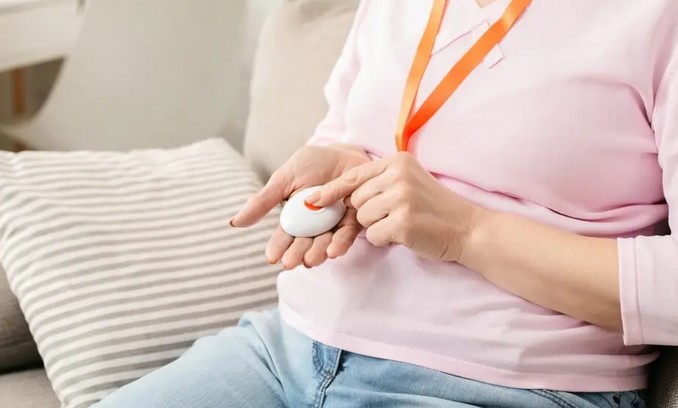
Medical Rapid-Response: For family members with heart conditions or mobility issues, a wearable button can send a specific “Medical Alert” to nearby relatives with a GPS pin of the home.
-
Environmental Panic: In areas prone to flash floods or wildfires, a panic button can be programmed to instantly “Hard-Close” smart water valves or shut down HVAC fans to prevent smoke inhalation.
Technical LSI Keywords to Look For:
When shopping for hardware, ensure it supports AESA Encryption (to prevent hackers from “sniffing” your signal) and features Supervised Connectivity (the hub checks every hour to make sure the button’s battery isn’t dead).
Scannable Checklist for Your Panic Protocol
-
Battery Supervision: Check the battery levels in your app every month. Most Zigbee buttons last 2 years, but don’t take that for granted.
-
Tactile Feedback: Ensure the button has a “click” you can feel. In the dark, you need to know you actually pressed it.
-
The “Duress Code” Integration: If your panic button is part of a keypad, learn your duress code. This is a code that disarms the system but sends a silent “I am being forced to do this” signal to the police.
-
Testing Schedule: Test your system once a quarter. Put your monitoring center in “Test Mode” first so you don’t have the police showing up at your door for a drill!
Comparison: DIY vs. Professionally Monitored
| Feature | DIY Panic Button | Monitored Panic Protocol |
| Response | Sends push notification to your phone. | Dispatches local emergency services. |
| Reliability | Depends on your home internet. | Uses cellular backup and 24/7 centers. |
| Cost | One-time hardware fee. | Monthly subscription (approx. $20-$40). |
| Complexity | Easy to set up via app. | Requires professional registration. |
Conclusion: Engineering Peace of Mind
A Panic Button Home isn’t just a piece of plastic; it’s a commitment to your family’s safety. In my ten years of experience, I’ve never heard a homeowner say, “I wish I hadn’t made it so easy to get help.” We spend thousands on kitchen aesthetics and landscaping, but the true value of home improvement lies in the “invisible” layers that keep us safe.
Integrating a high-speed emergency response protocol is the ultimate “set it and forget it” project. It’s about ensuring that when seconds count, your home is already working to save them.
Have you ever felt vulnerable in your own home and wished there was a “Fast-Forward” button to get help? Are you considering a standalone button or a fully integrated smart security system? Leave a comment below—I’d love to help you design a protocol that fits your floor plan and your peace of mind!