Centralized Building Command: Scaling Automation with the Smart Hub Controller
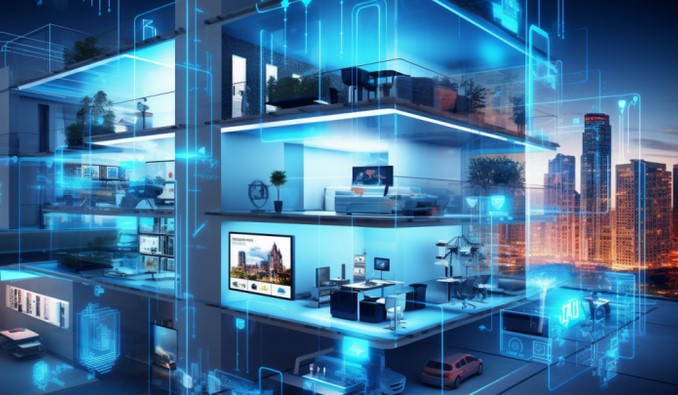
Source:https://therealtytoday.com
Picture this: You’ve just spent three hours installing a high-end smart lock, only to realize it won’t talk to your security cameras. Then, you find out your smart blinds require a completely different app than your thermostat. Suddenly, your “convenient” smart home has turned into a digital scavenger hunt, leaving you with fifteen different apps and a headache.
In my decade of retrofitting homes, I’ve seen countless DIY enthusiasts hit this “automation wall.” They buy great individual gadgets, but they lack a nervous system to connect them. This is where the Smart Hub Controller steps in. It is the difference between owning a collection of shiny toys and owning a truly intelligent building.
The Tower of Babel Problem in Modern Homes
The biggest hurdle in home improvement today isn’t the hardware; it’s the language. Your light bulbs might speak Zigbee, your motion sensors might use Z-Wave, and your smart fridge is likely shouting over Wi-Fi. Without a translator, these devices are deaf to one another.
A Smart Hub Controller acts as the ultimate diplomat. It is a dedicated hardware device—or sometimes a software platform—that consolidates these various protocols into a single interface. When I walk into a project, my first goal is to eliminate “App Fatigue.” If you have to open your phone to turn on a light, the technology has failed you. True automation happens when the house reacts to you, and that requires a centralized command.
How It Works: The Air Traffic Controller Analogy
Think of your smart home as a busy international airport. The planes (your devices) come from all over the world. The Smart Hub Controller is the Air Traffic Control tower. It ensures the “Bluetooth plane” doesn’t collide with the “Thread plane” and tells the “Garage Door” to open exactly when the “Geofence” signal says your car has landed in the driveway.
Why Scaling Automation Requires a Dedicated Smart Hub Controller
For beginners, a phone app is enough. But as you move to an intermediate level—adding sensors, climate controls, and security—you need more than just a remote control. You need Local Intelligence.
-
Reliability & Latency: Most cheap smart plugs rely on the “Cloud.” When you toggle a switch, the signal goes to a server halfway across the world and back. A dedicated hub processes commands locally. This means your lights turn on in milliseconds, even if your internet goes out.
-
Complex Orchestration: A hub allows for “Multi-Condition Logic.” For example: If it is after 10 PM, and the motion sensor in the hall trips, then dim the bathroom lights to 10% (so you don’t blind yourself). Doing this across different brands is nearly impossible without a centralized controller.
-
Privacy and Security: By using a hub that supports local processing, you keep your data inside your four walls rather than sending your daily habits to a third-party server.
Navigating the Protocol Jungle: Zigbee, Z-Wave, and Matter
When selecting your Smart Hub Controller, you need to know which “languages” it supports. In my professional experience, the most robust systems are those that don’t lock you into one ecosystem.
Zigbee and Z-Wave: The Professional’s Choice
These are “Mesh Networks.” Unlike Wi-Fi, where every device crowds your router, Zigbee and Z-Wave devices pass signals to each other. This extends the range to the furthest corners of your property. If I’m automating a three-story home, I always lean toward these protocols because they are low-power and highly stable.
The Rise of Matter and Thread
You’ve likely heard the buzzword Matter. It is the new industry standard designed to make Apple, Google, and Amazon devices play nice together. If you are starting a project in 2026, ensure your hub is “Matter-compatible.” It’s the closest we’ve ever come to a “universal plug-and-play” future.
Expert Advice: The “Invisible” Infrastructure
One insight I always share with my clients: Hardware is temporary, but the network is forever.
Tips Pro: When setting up your controller, always try to “Hardwire” the hub to your router via an Ethernet cable. While many hubs offer Wi-Fi connectivity, a physical wire eliminates interference and ensures your building command center never “drops” its connection during a software update or a power flicker.
Beware of “Proprietary Bridges.” Some brands sell a “starter kit” with their own small hub. Before you know it, you have five different little boxes plugged into your router. Avoid this! Look for a Universal Smart Hub Controller that can replace those individual bridges. It saves power, reduces wireless interference, and simplifies your life.
Scaling Your System: From One Room to a Whole Building
For those at the intermediate level, scaling is about Sensors, not just switches. A hub allows you to move away from manual control and toward “Passive Automation.”
-
Environmental Management: Link your smart blinds to a light sensor. When the sun hits the west side of the building, the hub closes the blinds to reduce cooling costs.
-
Energy Monitoring: Use your hub to track which appliances are “Vampire loads.” I once helped a client save 15% on their electric bill just by automating a hub to kill power to the entertainment center at midnight.
-
Safety Protocols: If a leak sensor under the sink detects water, the hub can automatically shut off the main water valve and flash the smart lights red. That is the power of a centralized command.
Choosing the Right Hub for Your Level
| User Level | Recommended Hub Type | Key Feature |
| Beginner | Smart Speaker Hub (e.g., Echo/Nest) | Voice control and easy setup. |
| Intermediate | Dedicated Hardware Hub (e.g., Hubitat/SmartThings) | Local processing and deep custom logic. |
| Advanced | Software-Based Hub (e.g., Home Assistant) | Total privacy and infinite customization. |
The Future of Building Command
We are moving away from “Smart Homes” and toward “Autonomous Buildings.” In the next few years, the Smart Hub Controller will likely integrate AI that learns your patterns—knowing you like the coffee started 5 minutes after your feet hit the floor, but only if it’s a workday.
My advice? Don’t get distracted by the flashiest gadgets. Invest in a solid, protocol-agnostic controller first. It is the foundation upon which everything else is built. If the foundation is weak, the whole digital house comes tumbling down.
Is your home acting as a single unit, or a collection of parts?
The jump from “smart gadgets” to “automated building” is a big one, but it’s the most rewarding project you’ll ever take on. Once you experience a house that prepares itself for your arrival, you’ll never want to go back to flipping switches.
Are you struggling with a specific device that won’t connect to your current setup? Or are you trying to decide which protocol to commit to? Leave a comment below—I’ve probably wrestled with that exact same issue and would love to help you bridge the gap!